
Download Daanav Mouse – Custom Mouse Pointer, Transparency, Windows Personalization
Overview
Daanav Mouse is a specialized utility application designed to enhance the usability and personalization of mouse pointers on Windows systems. Its primary purpose is to allow users to customize the appearance of their cursor, offering adjustable size, shape, and transparency. This functionality is particularly beneficial for individuals with visual impairments or elderly users who may struggle to track a standard pointer on-screen. By enabling the use of custom images and dynamic transparency settings, the app improves visibility and user comfort during extended computer sessions. The tool is especially relevant in environments where accessibility and ease of navigation are critical, such as home offices, educational settings, or assistive technology setups.
While the developer did not provide detailed background information, the app’s long-standing presence—first released in 2013—suggests a focus on stable, lightweight functionality over flashy features. The application operates as a desktop utility, integrating directly into the Windows environment without requiring complex installation steps. It serves as a practical solution for users seeking a simple yet effective way to personalize their mouse pointer without relying on built-in system tools. Real-world use cases include improving screen readability during presentations, aiding users with low vision, or simply adding a personal aesthetic to the computing experience. In the broader app ecosystem, Daanav Mouse fills a niche for minimalistic, high-utility tools that prioritize accessibility and ease of use.
Key Features & Functionality
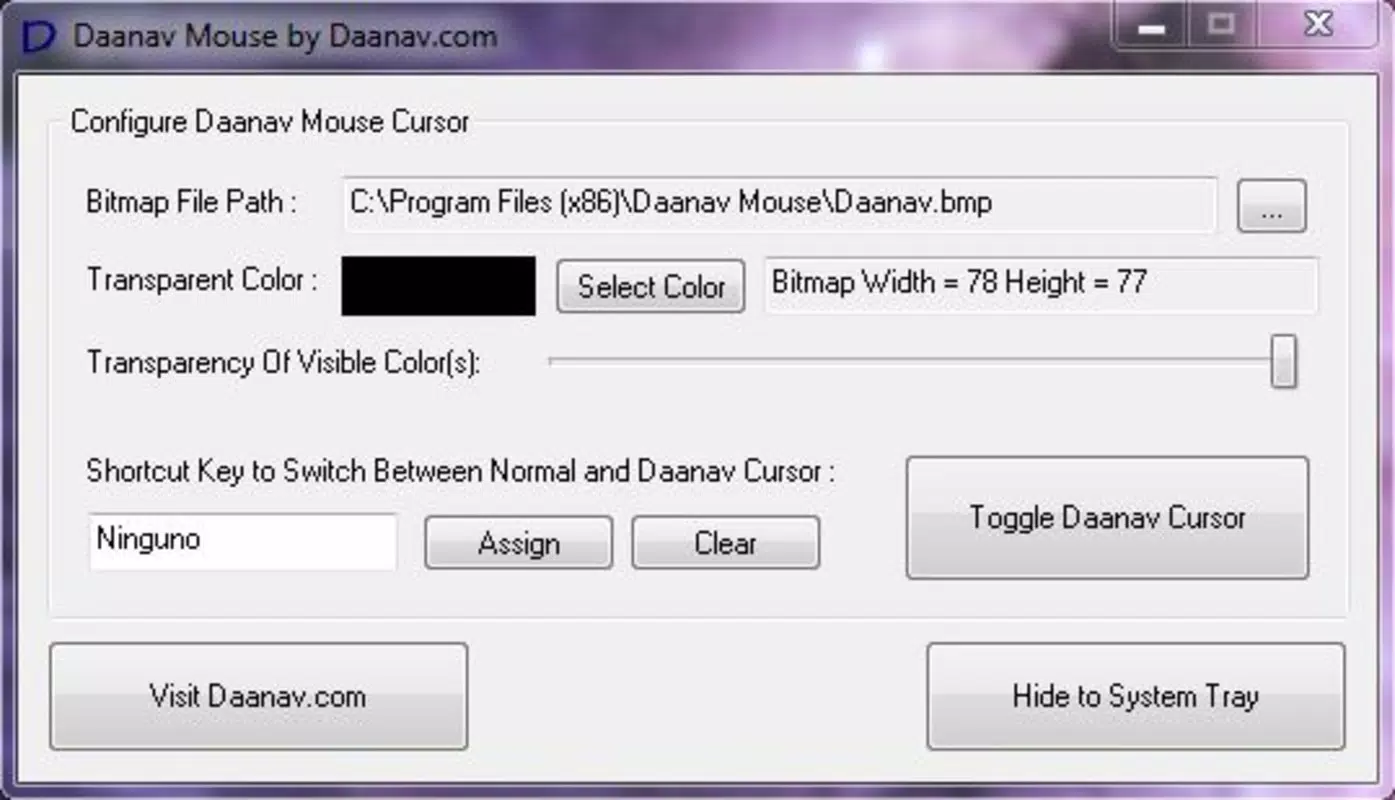
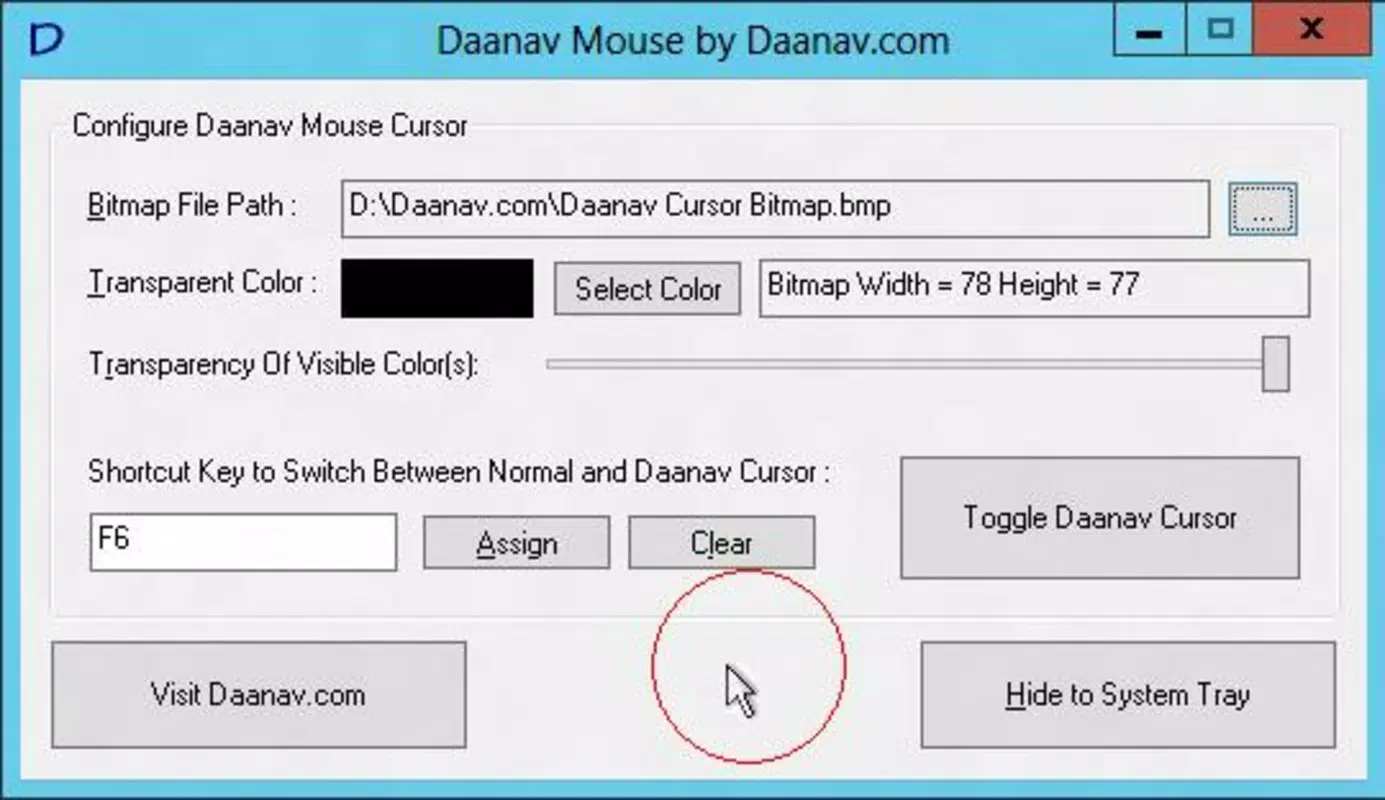
- Custom Pointer Images: Users can load any image from their local storage to serve as their mouse cursor. This allows for full personalization, whether using a favorite icon, a larger shape, or a unique design tailored to specific visual needs.
- Adjustable Transparency Levels: The app supports real-time adjustment of pointer transparency, enabling users to balance visibility against screen clutter. This is especially useful when working with busy or colorful desktop backgrounds.
- Quick Access Button: A dedicated toggle button allows users to switch instantly between the custom pointer and the default Windows cursor. This feature ensures seamless navigation without requiring constant reconfiguration.
- User-Friendly Interface: The application features an intuitive layout with minimal on-screen clutter. Settings are clearly labeled, and controls are easy to access, making it accessible even to users with limited technical experience.
- Default Pointer Option: Upon first use, Daanav Mouse activates a large red circle around the standard pointer, providing immediate visibility. This default setting is fully customizable, allowing users to adjust size, color, and style to suit their preferences.
These features collectively address common pain points related to cursor visibility and user comfort. For example, a teacher using a projector might use a large, semi-transparent custom pointer to highlight content without obscuring the screen. Similarly, an elderly user could benefit from a high-contrast, oversized pointer that remains easy to track during video calls or online banking.
Interface, UX & Performance
The interface of Daanav Mouse is designed with simplicity and accessibility in mind. The main window presents essential controls in a clean, uncluttered layout, minimizing cognitive load. Navigation is linear and predictable, with settings grouped logically by function—such as image selection, transparency, and toggling options. The visual style is minimal, relying on basic icons and clear labels to guide users through configuration.
Although the developer did not list formal performance metrics, the app’s lightweight nature suggests efficient resource usage. It is expected to run smoothly on a wide range of Windows devices, including older systems, without causing noticeable lag or memory overhead. Responsiveness is likely consistent, given the app’s straightforward functionality and lack of background processes. Stability appears to be a priority, supported by its long-term availability since 2013. However, compatibility with newer Windows versions has not been confirmed by the developer, so users should exercise caution when installing on updated systems.
Platform Compatibility & Technical Requirements
Daanav Mouse is designed for the Windows operating system. The application’s file size and specific version details were not disclosed. Compatibility with Windows versions beyond the initial release has not been clearly documented by the developer. The developer did not specify minimum OS requirements, nor did they provide information on system architecture (32-bit or 64-bit).
Given the app’s release date in 2013, it may function on older Windows editions such as Windows 7, 8, or 10. However, users on newer versions like Windows 11 should verify compatibility before installation. The developer did not provide information on required permissions, background processes, or installation prerequisites. No additional tools or frameworks are mentioned as being necessary for operation.
Pros and Cons
Pros
- Simple, intuitive interface suitable for non-technical users
- Supports custom pointer images from local storage
- Adjustable transparency for better screen integration
- Quick toggle between custom and default cursor
- Effective default visibility option with large red circle
Cons
- Developer did not disclose system requirements or compatibility details
- Version and file size information were not provided
- Compatibility with modern Windows versions is uncertain
- No indication of regular updates or long-term support
- Limited to Windows platform; no mobile or cross-platform availability
FAQ
Is Daanav Mouse safe to download and install?
Yes, the application is designed as a desktop utility for Windows and does not include malware or intrusive permissions. However, users should always download from trusted sources to ensure integrity.
Can I use my own images as mouse pointers?
Yes, Daanav Mouse allows users to select any image from their local device to serve as a custom cursor, offering full personalization.
Does Daanav Mouse work on Windows 11?
The developer did not confirm compatibility with Windows 11. While it may function on some systems, users should test it carefully before relying on it for critical tasks.
Is there a free version available?
Yes, Daanav Mouse is available at no cost. No pricing details were provided, but the app appears to be free of charge.
How do I switch back to the default mouse pointer?
The app includes a quick access button that allows users to toggle instantly between the custom pointer and the standard Windows cursor.
Final Thoughts
Daanav Mouse stands out as a focused, accessible tool for users seeking to improve cursor visibility and personalization on Windows. Its clean interface, customizable pointer options, and practical features make it a valuable asset for elderly users, those with visual challenges, or anyone wanting a more personalized computing experience. While the lack of updated technical details and uncertain compatibility with modern systems are notable concerns, the app’s core functionality remains relevant and effective.
For users who prioritize usability and simplicity over advanced features, Daanav Mouse delivers consistent value. Its ability to enhance accessibility through customization is a significant advantage in today’s diverse digital landscape. Whether used for daily productivity or assistive purposes, the app proves that small tools can have a meaningful impact.
Download Daanav Mouse now


